Now almost everyone knows at least what Vista's UAC is. But not many people know what Windows Side by Side Assemblies (aka WinSxS) are.
Side by Side Assemblies are Microsoft's attempt to evade the DLL hell Windows terror (DLLs currently in use, overriding versions, uninstalling by accident required DLLs...), designed and implemented in Windows XP, and now available too in Windows 2003 and Windows Vista.
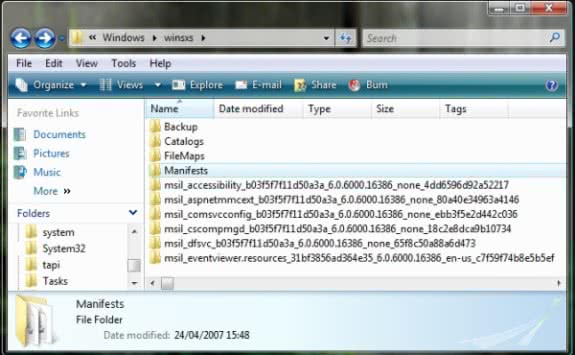
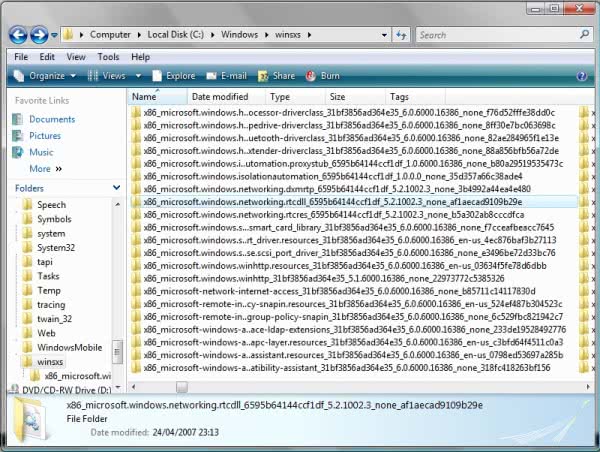
Initially, all DLLs had to go to %Windir%\system32\ folder. Since Windows XP, they could be deployed under %Windir%\WinSxS\YourDLLNameWithAHashCode\YourDLL.dll, and a corresponding manifest in %Windir%\WinSxS\Manifests\ folder. Let's see it more clearly with a sample screenshot:
The directory name which holds the DLL is an algorithm not published by Microsoft, and so only by using MSI Installer can be created (no more manual installs).
When an application tries to use a DLL from WinSxS, Windows searches for the manifest. If found, gets the DLL from it's folder and loads it.
All of this sounds great... but with Windows Vista, problems arise.
I needed to install Microsoft's RTC Client API 1.3 (aprox. from 2005), and UAC detected it was an installation and prompted me for privilege elevation. I accepted, and it was installing , when... surprise!
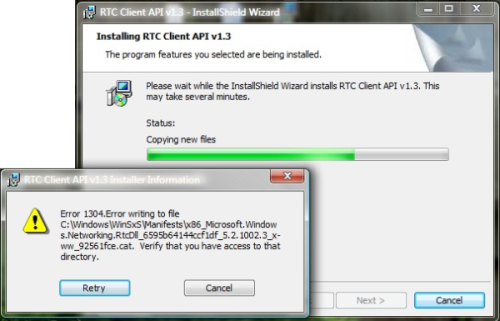
What? Access denied to a directory? Wasn't I running as administrator the setup?
Made some checks, tried some things, and the result was the same...
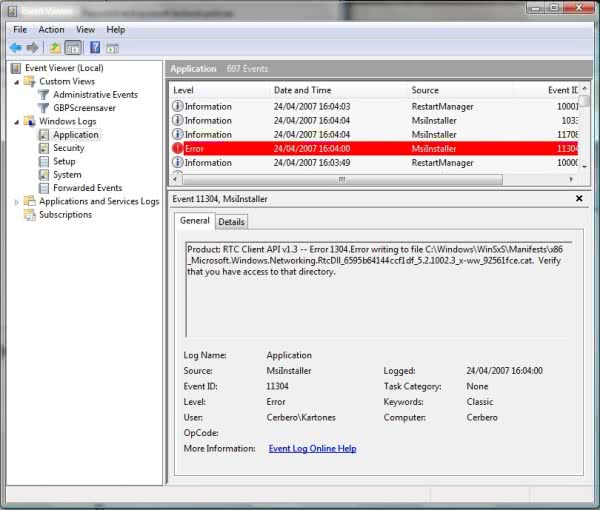
Finally, I went to check if the WinSxS folder had some special permissions... and actually it had :)
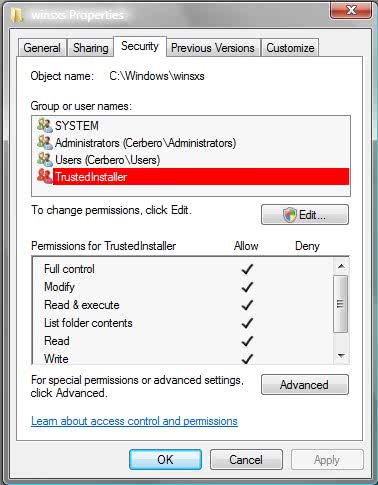
TrustedInstaller user? Well, seems that in Windows Vista, Side by Side Assemblies have evolved to be part of the Windows Resource Protection scheme and so it has ben hardened.
The WinSxS folder cannot be modified by others than the TrustedInstaller account, which is more trusted than any administrator account, and so cannot be touched (admins have only read permissions to the WinSxS folder).
So, the only way to access this folder is within installers. No other way. Not even deactivating UAC. You can't give write permissions to an administrator, you can't modify files or manifests, and you can't create by hand DLL folders (because you don't know the hash algorithm).
After some MSI dissasembling, I was able to extract the DLLs required for the API, and with Visual Studio 2005 I created a new Setup Project, included the files and compiled it. As it's recent, Windows Vista detects it and installs the DLLs inside WinSxS.
The RTC Client API still doesn't work, but now it may be either a COM problem or that my "custom installer" method doesn't works because my installer creates a different hash code for the DLL folder name.
If you want to know more about diagnosing Side by Side problems and errors, check this fantastic Junfeng Zhang's post.