This is a quick tip for a problem that I had with my development laptop at home.
I have a LAN network, and a Wireless subnetwork (for those pcs outside my "workshop" room). If I booted my laptop with the wireless router switched on (and the LAN cable plugged), Vista got confused about what network to set, and I ended having to re-disable my wireless, unplug and re-plug the cable. Even with Wireless off on the laptop, an ASUS application tried to connect to wireles if available at Windows start time.
But a colleage at work told me how to fix this once and for all :)
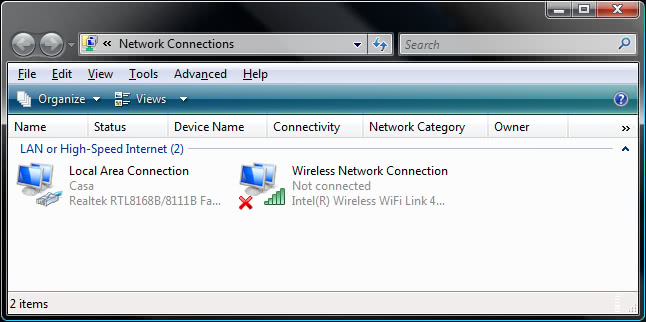
We have to go to network connections:
And in my case, open the Properties of the LAN connection.
Open the IPV4 TCP/IP properties, click on the Advanced button, and in the lower part we will se a check called "Automatic metric":
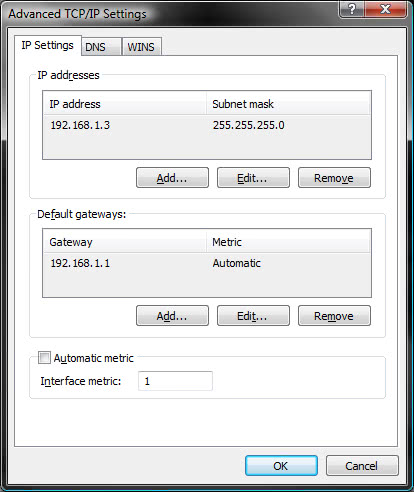
This means that by default, it is left to the OS to choose the preference of the network. If you uncheck it and set a 1 as the value, you will assign the highest priority to LAN, so that even if the wireless is on, it will prefer LAN to it.
And that's all, problem solved!
Another situation in which this can happen is when you have a VPN connection; Vista might prefer any non-VPN connection, leaving you without connection. Set the VPN metric to 1, apply and there you go :)