Title: SQL Server 2008: The server principal is not able to access the database under the current security context
Slug: sql-server-2008-the-server-principal-is-not-able-to-access-the-database-under-the-current-security-context
Date: 2010-03-09 00:54:00
Author: Kartones
Lang: en
Tags: Systems-IT, SQL Server, Troubleshooting
Description: Troubleshooting Error 916 in SQL Server 2008.

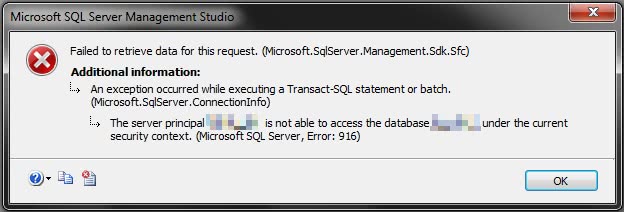
 <p>Looks like SQL Server Management Studio guys didn't properly tested the tool with unprivileged users. If, like me, you have a shared SQL Server database that lives among others, probably your DB user will only be able to see and operate with your specific database.</p> <p>But if you try to expand the Databases node from the management studio, this error (Error 916) will appear:</p> <p><img title="Screenshot" alt="Screenshot" src="https://images.kartones.net/posts/kartonesblog/ssms2008_error.jpg"></p> <p>The solution is as easy as strange and hard to come by yourself (I found it at <a href="https://connect.microsoft.com/SQLServer/feedback/ViewFeedback.aspx?FeedbackID=354291&amp;wa=wsignin1.0">Microsoft Connect</a>):</p> <ol> <li>Press F7 to display the <i>Object Explorer Details</i> window</li> <li>Doubleclick on the <i>Databases</i> folder</li> <li>Right-click in the Collation header and uncheck it.</li> <li>Refresh</li></ol> <p>And now it will work and list perfectly all the server databases.</p> <p> </p> <p>Remember, if you have a site or application that has roles, always test with the least privileged account everything ;)</p>
