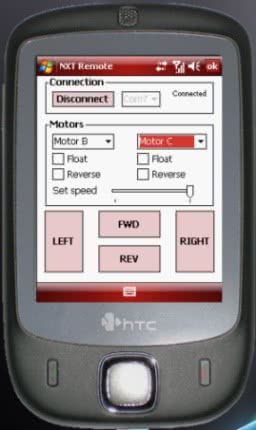
Today I've been searching for more missing software to install into my new PDA-phone, and one that I didn't tested on my old PDA was NXT Remote/Pocket Remote, a small tool that allows remote control of Lego Mindstorms NXT robots via Bluetooth.
Setting up the connection is quite easy (there are step-by-step instructions on the application's website), and it works really nice!
Here is how the application looks:
Now I can chase my dog with my robotic creations!
Note: The tool I used for the screenshot is Pocket Controller Professional. it is a "remote desktop"/VNC for PocketPC, with skins and some handy tools like a Registry Editor, a Task Manager or a remote MS-DOS Console. Quite handy too if you're debugging your Compact Framework applications from VS2005 directly on the device.