Title: Community Server 2007: Correct sorting of Files TreeView
Slug: community-server-2007-correct-sorting-of-files-treeview
Date: 2009-01-28 12:16:00
Author: Kartones
Lang: en
Tags: Kartones.Net, C#, ASP.NET, Development, .NET
Description: A guide on sorting files in Community Server 2007's treeview by name instead of creation date, with simple code changes.
Something that has annoyed me since I started using Community Server was that the Files treeview didn't sort by name, but by internal Ids (so the actual sort order is "by creation date").
So, now that I'm deeping in how CS works internally, I decided to fix it by sorting alphabetically both the folder groups and folders for the Downloads section.
It requires modification of a core component (CommunityServerFiles20 project, CommunityServer.Files assembly), but the change is just changing two lines of code!
- Open the Folders class
- Find the GetFoldersByGroupID method
- Find this comment:
// Sort the galleries
- Change the line following the comment to:
folders.Sort(newSectionSorter(SectionSortBy.Name));
- Find the GetFolderGroups() method
- Find this comment:
// Sort the forum groups
- Change the line following the comment to:
folderGroups.Sort(newGroupSorter(GroupSortBy.Name));
Rebuild in release mode, replace the assembly in \bin folder, and we're done!
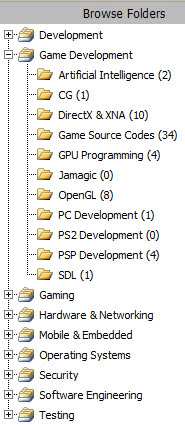
As an added bonus, on the Control Panel's file management the folder groups & files will be sorted too!